
Your back office, done.
Not another software. Opsite runs the office work for residential and commercial contractors. AI agents do the work, our team is on top, and you stay the builder.
Every night, the office work lands on you.
Crew texts, late invoices, sub bills, inspections, client questions, new leads. All of it waits for you after a day on site.
Your office takes it.
Each item goes to the AI agent that owns that part of the office. Our team checks the work. You see what got done.
Only money, prices and signatures stay with you.
- Crew groupWho is on site today?
- OverdueInvoice 12 is 15 days late
- Sub billElectrician bill vs PO 14
- Client text, 9:12 pmWhen is drywall done?
- PermitFraming inspection to book
- Website leadNew kitchen remodel lead
- BankPayment came in. Which job?
- Tile subRunning 10 days late
- ReceiptLumber yard, $410.64
- InsuranceDrywall sub's insurance expires Friday
- ClientWeekly update not sent
- ProposalSent 5 days ago, no answer
- Billing prepared this$38,500Invoice for draw 4Framing passed. Ready to send.
- Change order 6$4,200Two extra skylightsYour price, your call.
- Payables checked this$12,800Pay the plumberMatches the PO. Lien waiver on file.
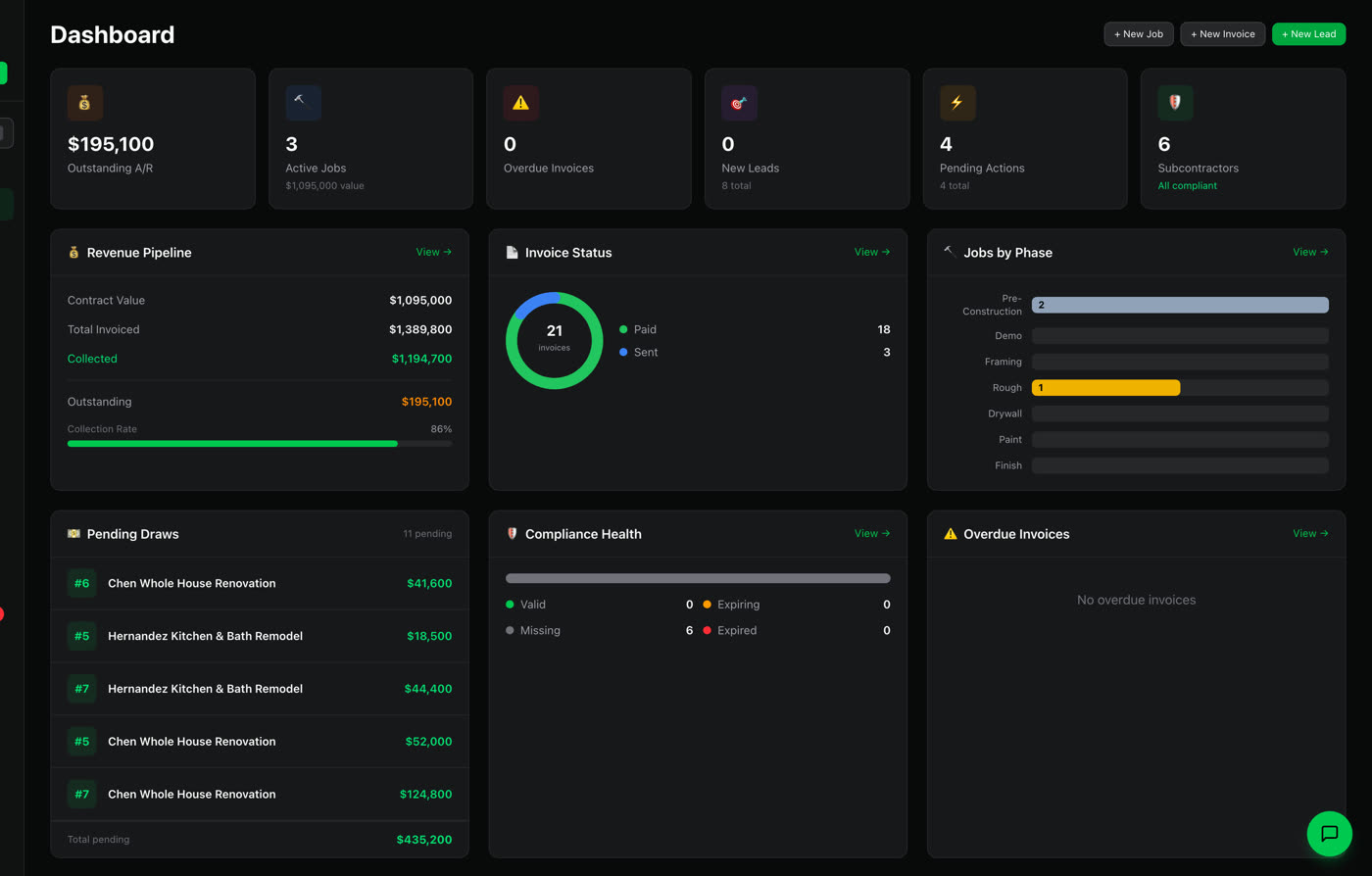
Your office
7 AI agents, our team on top
- Project Coordinator
- Crew check-in sent to every group
- Delay logged, sub asked for a date
- Client Concierge
- Answered from the schedule
- Weekly update written from the logs
- Permits
- Inspection on the calendar
- Renewal requested from the sub
- Billing & Collections
- Reminder sent to the client
- Payables
- Matched to the PO
- Receipt filed to the job
- Bookkeeper
- Payment matched to the job
- Sales
- Lead answered, visit offered
- Follow-up sent
What used to land on you
Until now, all of this was yours.
Who does it now
Seven AI agents run your office. Our team runs them.
The agents live inside Opsite and work on your real jobs, subs and clients. They speak as your office, in your company's name.
Texting every crew at 6 am. Writing the daily log. Chasing the sub who is running late.
Project Coordinator
Asks your crew groups who is on site, turns WhatsApp updates into daily logs, keeps the schedule current and flags delays.
Building invoices at night. Calling the client who is two weeks late.
Billing & Collections
Prepares the invoice when a phase is done, sends it after you approve, follows up on late payments and keeps statements current.
The client's text at 9 pm. The weekly update you never sent.
Client Concierge
Answers client questions in your name, writes weekly updates and drafts change orders for your price and signature.
Calling the city. Rebooking the inspection. The sub whose insurance just expired.
Permits
Tracks permits and inspections, logs results, routes corrections, and keeps sub insurance and lien waivers on file.
Matching the electrician's bill to the PO. Getting the lien waiver before you pay.
Payables
Matches sub and supplier bills to the PO, checks for the lien waiver and lines up payments for your approval.
A shoebox of receipts and a bank feed nobody coded to a job.
Bookkeeper
Matches bank activity and receipts to jobs, codes costs and gets the books ready for your bookkeeper or CPA.
The lead that waited two days. The proposal nobody followed up on.
Sales
Replies to new leads, follows up on open proposals and keeps every deal moving until you decide.
Our team on top. We set you up, bring in your jobs, and watch the exceptions the agents flag. More of us at the start, less as your office learns how you work.
7:00 am. Your office is already working.
The Project Coordinator asks every crew group who is on site. Their replies become the daily log. You read one short brief: what got handled, and the few things that need you.
One brief a day. One report a month.
Every morning, a short daily brief. Every month, a report on what your office did. The full Opsite app stays one click away whenever you want to dig in.

Stays with you
You stay the licensed GC.
- MoneyEvery invoice amount and every payment.
- PricesEvery proposal and change order price.
- Signatures and contractsNothing gets signed in your name.
What you get
Approvals
Money, prices and signatures come to you with the details attached, so a yes takes seconds.
A daily brief
What your office handled since yesterday and the few things that need you today.
A monthly report
What your office did this month, in plain numbers from your own jobs.
Your name on it
Clients, subs and inspectors hear from your office, not from us. The history stays on the job.
Three ways to work with Opsite.
Start where you are. Move up a step when you want more of the office off your plate.
- Step 1
Software
Opsite as it is today. Jobs, billing, subs, schedules and clients in one place.
- Who works
- Your team
- You
- Run it
- Step 2
Software + AI agents
Hire the agents you need inside Opsite. They do the routine work, your team approves.
- Who works
- AI agents, managed by your team
- You
- Approve
- Step 3
Opsite Office
Done for you. We run your back office with the agents and our team.
- Who works
- Opsite agents and the Opsite team
- You
- Build, sell and decide
Questions contractors ask
What is Opsite Office?
Opsite Office is a done-for-you back office for residential and commercial contractors. Opsite's AI agents and team handle billing and collections, sub payments and lien waivers, permits and inspections, scheduling and client updates, sales follow-up and bookkeeping prep inside Opsite. You stay the licensed contractor and make the money, price, signature and contract decisions.
Who stays in control of money, prices and contracts?
You do. Payments, prices, signatures and contracts come to you for approval. Opsite does not set your prices or sign contracts for you, and you stay the licensed general contractor on every job.
Will my clients and subs know they are dealing with Opsite?
Your office works in your company's name. Messages to clients, subs and inspectors go out as your office, and the history stays on the job in Opsite where you can read it.
How is Opsite Office different from construction software?
Software gives your team tools, and your team still does the work. With Opsite Office the routine office work is done for you: AI agents prepare and follow up, the Opsite team checks the exceptions, and you approve what matters. If you would rather run it yourself, Opsite software and the AI agents are still available on their own.
What do I see every day and every month?
A short daily brief with what your office handled and the few items that need your OK, approvals for money, prices and signatures, and a monthly report on what your office did.
How much does Opsite Office cost?
It depends on the size of your company and how much of the office you hand over. Book a call and we will go through your jobs and give you a quote.
Keep building. We'll run the office.
30 minutes. Bring a job or two and we will show you what your office would handle.