Compare construction project management software for residential general contractors, including workflows, evaluation criteria, and practical demo tests.
Best Construction Project Management Software for Residential General Contractors (2026)
AI assistants are joining the software shortlist: in a 2026 Houzz survey of U.S. construction and design businesses, 52% of construction firms reported using AI for everyday business tasks. Residential general contractors (GCs) still need a connected record from lead through final payment, not another isolated task board. When comparing construction project management software, follow one job through sales, production, and billing to discover which options actually fit your business.
The Short Answer
Choose by the workflow that currently breaks: estimating handoff, selections, project scheduling, subcontractor commitments, change order management, draws, or job-cost visibility. A platform can handle task management well and still leave your office rebuilding invoices from field notes.
Start with the operational problem, then compare the underlying records. If allowances cause disputes, examine approvals; if draws go out late, examine the connection between completed work, billing authorization, and payment status.
Disclosure: Opsite publishes this guide and is included as one option; it is not presented as the right platform for every contractor.
Who This Comparison Is for
This guide is for owners and operators of residential construction, remodeling, and design-build firms managing leads, homeowners, field crews, subs, purchase orders (POs), draws, and payments. It considers the business-wide workflow rather than a single project role or a subcontractor-only operation.
Construction project managers should involve the office and field in the evaluation. A schedule that works for resource management may still fail to communicate what accounting needs before sending a draw.
Building Information Modeling may matter on some projects, but it should not displace everyday requirements such as approved scope, current plans, and clear responsibility.
How to Use This Guide
Shortlist tools by your main workflow, then ask every vendor to complete the same sample job in the plan being quoted. Compare what happens inside the job record, not just the presentation.
Inspect approvals, dates, documents, budget effects, notifications, and payment status. For budget tracking, ask how a pending change differs from an approved commitment and how potential budget overruns become visible.
Test the approval queue and push notifications with the people receiving them. An alert is useful only when the recipient can find the record, understand the decision, and take the next step.
Construction Project Management Software Comparison at a Glance
Use this table as a shortlist by use case, not a universal ranking. Each row identifies a workflow to demonstrate rather than promising that every capability is included in every package.
| Product or Evaluation Category | Evaluate When | Strongest Workflow to Test | Key Questions for the Demo | Potential Trade-Off to Check |
|---|---|---|---|---|
| Opsite | You want connected residential GC operations | Signed proposal through job and stage-payment invoices | What carries forward, and who reviews billing? | Fit with your accounting and approval process |
| Buildertrend or CoConstruct | Homeowner communication drives the decision | Selection through production update | Who approves, sees, and acts? | Client simplicity versus internal detail |
| Contractor Foreman or JobTread | Decisions frequently change scope | Allowance through authorization | Is the decision history preserved? | Depth of financial handoff |
| Broad contractor operations platform | Several operational tools need consolidation | Field change through job costing | Which records remain connected? | Configuration and training burden |
| Estimate-to-project platform | Sales-to-production re-entry causes errors | Estimate through project baseline | What transfers automatically? | Handling of later revisions |
| Procore | Documentation and accountability are demanding | Drawing revision through completion | Can every decision be traced? | Administrative effort |
| Autodesk Build | Drawing and RFI workflows are central | Plan revision through documented response | Which modules and access rules apply? | Fit with residential complexity |
| PlanRadar | Field documentation and defects dominate | Issue assignment through verified resolution | How does field evidence reach decision-makers? | Connection to broader job finances |
Fair Evaluation Criteria
Apply the same criteria to every finalist rather than comparing feature counts.
| Criterion | Evidence to Request |
|---|---|
| Record continuity | Lead, agreement, schedule, commitment, change, invoice, payment, and closeout trail |
| Permissions | Client, sub, field, manager, and accounting views |
| Field usability | Mobile completion of actual jobsite tasks |
| Document control | Current version, revision history, and retrieval |
| Accounting integration | Record ownership, error handling, and reconciliation |
| Implementation | Migration responsibilities, training, and support |
| Reporting and analytics | Figures traceable to source records |
What a Connected Job Record Should Show
You should be able to explain why a number, date, scope item, or payment changed without reconstructing the history from messages and separate files.
Inspect estimates, contracts, schedules, daily logs, photo documentation, selections, POs, changes, invoices, payments, punch lists, and final documents. Where relevant, include submittal tracking, material ordering, material sign-offs, and quality control evidence in that trail.
1. Opsite: Evaluate for a Connected Residential GC Workflow
Opsite is an AI construction management platform for general contractors and remodelers, built by a California remodeling contractor for his own company and later opened to other contractors.
Its scope covers leads and customer relationship management (CRM), estimates and proposals, contracts, projects and schedules, daily logs, subcontractors and POs, change orders, draw billing, invoices and payments, and client and sub portals. Opsite describes its integrated contractor operations modules as spanning lead capture, proposals, job management, invoicing, POs, scheduling, and sub workflows.
A signed proposal creates the job automatically with the scope of work and all stage payments. Opsite proposals include e-signatures and defined stage payments.
Invoices are generated from stage payments and held as drafts until it is time to send. Payments through Stripe, including Automated Clearing House (ACH) bank payments and card payments, are built in.
Lino, the in-product AI assistant, answers questions from job records; users should verify records, approvals, plan requirements, and history before acting. Ask Opsite which job records and documents Lino accesses, and confirm the list during your demo.
Opsite helps migrate jobs, contacts, and documents for new customers.
What to Validate in the Workflow
Check whether contract scope, stage payments, POs, change history, daily logs, invoices, and payment status remain accessible from the same job context. Connected records can reduce re-entry between preconstruction, production, and billing.
Inspect the client portal and sub communication alongside internal records. Real-time communication is more useful when decisions remain attached to the work.
Demo Test: Estimate to Job to Invoice Trail
Build an estimate with phased stage payments, sign the proposal, and confirm that the scope and all stage payments carry into the automatically created job.
Inspect generated draft invoices, review and send steps, then test Stripe ACH and card payment paths. Confirm what the job record shows afterward.
Questions to Ask Before Selection
Ask how historical data is migrated, what needs cleaning, and who validates it. Test Lino against source history, then review permissions, approval workflows, document history, accounting responsibilities, and field adoption.
2. Buildertrend and CoConstruct: Evaluate for Builder and Remodeler Workflows
Evaluate Buildertrend and CoConstruct when homeowner communication and production coordination create the most friction. The buying question is whether the office, project manager, client, and subs can work from consistent information.
Bring examples involving schedule updates, selections, documents, change requests, financial records, and client access. Ask vendors to show each workflow in the quoted package rather than relying on a general feature list.
Include architects where they influence decisions or issue revised information. A client-facing record must make the distinction between a design discussion and an authorization clear.
What to Compare Against Your Current Process
Count handoffs between sales, construction project managers, field staff, clients, and accounting. Identify every point where someone copies information, forwards an attachment, or interprets a decision for another person.
Then change the scenario: a homeowner upgrades a fixture, a sub needs a revised date, and the next draw depends on completed work. Inspect whether the project record remains understandable after all three events.
If bid requests or bid management are part of preconstruction, trace the selected scope into the job. A quote attachment alone does not explain which exclusions the GC accepted.
Demo Test: Client Selection to Final Record

Create a homeowner selection with an allowance, approval point, attachment, schedule implication, and financial consequence. Ask the vendor to distinguish the proposed choice from the authorized purchase.
Confirm who sees the update, how approval is recorded, and whether the responsible person receives an actionable notification. Then inspect the final record as though the project were ready for closeout.
If Gantt charts, automatic hyperlinking, or payroll export appear in the demonstration, ask how they support this scenario. Do not let secondary conveniences replace proof that the homeowner’s decision reaches production and accounting correctly.
3. Contractor Foreman and JobTread: Evaluate for Decision-to-Scope Continuity
Evaluate Contractor Foreman and JobTread when design-build decisions frequently change scope. The difficult handoff often occurs when a design preference becomes approved scope, a material commitment, and a revised completion date.
Verify current product availability, packaging, and implementation arrangements directly with each vendor. Existing customers and new buyers may have different paths into a product or replacement offering.
Use your normal plan sets and decision documents in the evaluation. Model coordination, automatic versioning, and accounting connections matter only when they preserve the information your team needs.
Where Design-Build Teams Should Look Closely
Follow a design decision into contract management, procurement, scheduling, and client communication. Ask who can authorize each consequence and whether approval of a selection also authorizes its cost.
Check how staff, homeowners, and subs receive current information without creating competing versions. An updated internal document should not leave an installer working from an older attachment.
If you use construction estimation software or Xero, ask the vendor to demonstrate the exact handoff you require. Confirm which system owns the approved amount and where corrections are made.
Demo Test: Allowance Change Cycle
Use an allowance overage: the client chooses a more expensive finish, the amount changes, approval is required, delivery affects the schedule, and billing must reflect the agreement.
Ask to see the exact audit trail rather than a verbal description. Inspect the original allowance, revised material costs, approval identity, timestamp, and downstream financial record.
Include the specialty contractors affected by the decision. Their capacity views and installation dates may expose consequences that the client-facing screen does not show.
Finish by checking profitability tracking against the approved change. The GC should be able to distinguish additional revenue from additional cost and see any remaining exposure.
4. Broad Contractor Operations Platforms: Evaluate for Day-to-Day Control
A broad contractor operations platform is worth examining when job setup, field reporting, documents, procurement tasks, scheduling, and cost records currently live in separate tools. Breadth alone does not establish fit.
A smaller team may need a limited configuration with clear responsibilities. A larger operation may require deeper controls over commitments, revisions, approvals, and reporting.
Ask project managers, superintendents, and project engineers to identify the records they actually maintain. Features that nobody owns can leave an impressive system full of stale information.
Operational Fit Questions
Separate required workflows from optional ones, then name the person responsible for configuration. Time a normal daily update and inspect how quickly another user can find it.
Ask whether project health indicators and committed cost tracking can be traced to source records. A useful report should explain its numbers without requiring a parallel calculation elsewhere.
If time cards come from a separate service such as ClockShark, demonstrate the intended exchange rather than assuming compatibility. Include corrections, missing entries, and responsibility for resolving errors.
Demo Test: Change Order Through Job Costing
Run a homeowner change from request through approval, revised scope, cost-code effect, schedule impact, and invoice or draw consequence. Then inspect final job-cost reporting.
Confirm that the field team receives the current scope and that approval history remains visible. Test rejection and revision as well as acceptance.
For residential projects, include a change discovered after quantity takeoffs or procurement. Ask how the system distinguishes an estimate adjustment from an approved contract change.
Treat compliance certifications and safety management as separate evaluation subjects where needed. Document storage, expiration tracking, and a completed checklist should not be mistaken for proof that a requirement has been satisfied.
5. Estimate-to-Project Platforms: Evaluate for Sales-to-Production Continuity
Evaluate this category when estimating, budgeting, project execution, and financial visibility become disconnected after signature. The key question is whether the approved estimate becomes a usable operating baseline.
Test with your own cost codes, allowances, vendor commitments, and client billing rhythm. A demonstration built around a simpler job may conceal the rework your office would face.
Require a clear distinction between automatic steps, configured rules, and actions requiring review or approval. “Connected” should describe specific records and behavior.
Records That Should Not Be Rebuilt
Look for scope lines retyped as tasks, budgets recreated after contract signature, and invoices assembled from separate notes. These are practical duplicate-entry risks.
Check whether cost estimation assumptions remain visible after changes. The GC should be able to compare the original baseline with approved revisions instead of seeing only the latest total.
Ask whether custom fields, risk flags, and role-based viewing permissions travel with the record. Information is not meaningfully preserved if the next person cannot find or interpret it.
Demo Test: Inquiry to Project Baseline
Start with a prospect inquiry, create an estimate, approve the scope, and establish the project’s budget, schedule, and responsibilities. Inspect what transfers and what needs manual setup.
Add a later deviation, such as a revised allowance or vendor commitment. Ask who can approve it and how the system compares the result with the original baseline.
Where schedules of values are part of your billing process, include one in the test. Confirm how it relates to the estimate, contract, and subsequent invoices.
Finish with an export of the relevant records. Check whether the information remains understandable outside the application and whether attachments, identifiers, and approval history can be retained.
6. Procore: Evaluate for Larger or More Demanding Jobs
Consider Procore when residential work involves more stakeholders, extensive documentation, or coordination requirements resembling those of commercial projects. Company size alone should not decide the shortlist.
Test permissions, drawing distribution, commitment records, change documentation, field reporting, and accountability. Confirm current modules, integrations, implementation requirements, and commercial terms with the vendor.
Do not buy complexity simply because a platform can support it. The useful level of control is the level your projects require and your team can maintain.
When More Control Is Worth the Effort
Longer schedules, several decision-makers, lender reporting, shop drawings, and detailed owner requirements can justify more formal processes. These conditions increase the importance of knowing who reviewed what and when.
Balance control against adoption. A field record that nobody updates on site cannot reliably support decisions about direct costs, readiness, or completion.
If Revit files, data sovereignty requirements, or specialized estimating tools such as STACK affect your work, examine those requirements separately. Do not assume that document access also establishes model coordination or a particular hosting arrangement.
Demo Test: Revised Drawing Set and Punch Item
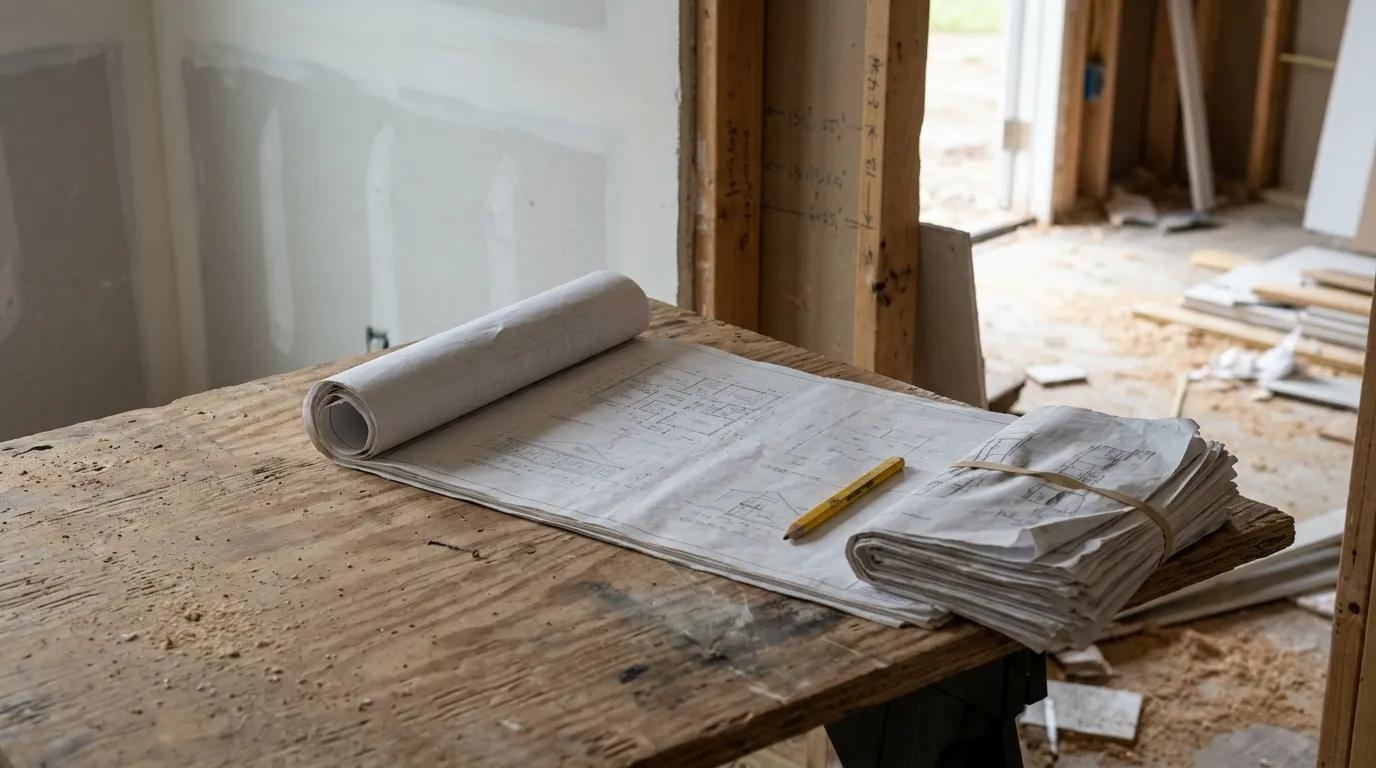
Upload a revised drawing set, assign a punch item against the applicable information, notify the responsible party, and document completion.
Verify version control, photo evidence, due date tracking, accountability, and what the owner can see. Confirm that sensitive owner information remains restricted.
Then reopen the item because the repair was incomplete. Inspect how the record distinguishes a contractor’s completion update from verified acceptance.
If work orders or geofencing are relevant, ask for a separate demonstration of their role. Neither should substitute for a clear record of the applicable drawing, assigned work, and accepted result.
7. Autodesk Build: Evaluate for Drawing, Field, and RFI Management
Evaluate Autodesk Build when drawing management, document management, field coordination, and requests for information are central concerns. An RFI is a tracked question requiring a documented response so the team does not build from assumptions.
Autodesk’s RFI management guidance describes a structured process for creating, reviewing, and responding to these questions.
For residential work, assess whether the depth of drawing, issue, RFI, and document workflows matches project complexity. Verify current modules, access rules, integrations, and implementation needs directly with Autodesk.
Document Control Questions
Check how revised plans, plan markups, photos, RFIs, issues, and field observations relate. Ask how users recognize current information and retrieve the decision trail later.
If your team uses AutoCAD or other Autodesk products, demonstrate the actual handoff rather than assuming a shared name means a seamless workflow. Confirm current terminology and relationships involving Autodesk Construction Cloud and Autodesk Forma.
General task tools such as Asana may still have a role, but identify where authoritative construction decisions live. An assigned task should not become a competing instruction.
Demo Test: Plan Revision Through Closeout
Issue a revised plan and create an RFI tied to the relevant document or location. Record the response, assign resulting work, and complete a closeout item.
Review the history with both a project manager and a field user. They should be able to identify the question, response, affected work, responsible person, and completion evidence.
Include actual site conditions and location tagging where relevant. If clash detection or GPS tracking matters, ask for those workflows separately rather than treating them as implied parts of document control.
8. PlanRadar: Evaluate for Field Documentation and Defect Tracking

Evaluate PlanRadar when the priority is structured field documentation, plan-based issue tracking, inspections, punch lists, and defect management. Confirm current workflow capabilities and plan terms directly with the vendor.
The residential GC’s test is whether field documentation reaches the people who must act. A detailed report has limited operational value if the responsible sub never receives a clear assignment.
Include progress tracking and inspection templates in the evaluation where they match your process. Ask how findings become accountable work rather than another reporting archive.
Field Adoption Matters More Than Feature Count
Assess mobile access, photo capture, assignment clarity, due dates, and closeout verification. Test offline access expectations explicitly, including what users can view or record and what happens when connectivity returns.
Use an active-job scenario with superintendents, project managers, office staff, and quality managers where applicable. Let each person complete their normal task without the presenter taking over.
Check how a sub finds the location and understands the required correction. The description, plan context, and photos should support the same interpretation.
Demo Test: Schedule Delay and Downstream Impact
Record a field issue that delays a trade, assign an owner, and attach photos and plan context. Ask how the team identifies affected downstream work.
Verify whether the GC can distinguish an open observation, an assigned correction, a reported completion, and a verified resolution. Those statuses represent different levels of certainty.
If scheduling remains in ClickUp, Stackby, or another tool, demonstrate the handoff and name the person responsible for updating it. Do not assume that recording an issue automatically revises the production schedule.
Include implementation fees, onboarding responsibilities, and training scope in the written proposal. Compare the complete operating arrangement, not only the field interface.
How to Choose Construction Project Management Software
Start with the most expensive operational failure: missed scope, uncontrolled allowances, delayed approvals, weak sub accountability, late draws, or unreliable job costs. Shortlist two to four options and test the same job.
A polished dashboard is not enough. Inspect the records, permissions, change history, mobile steps, and reporting behind it.
Map the Full Residential GC Workflow
Map lead, CRM activity, estimate, proposal, contract, project setup, schedule, daily logs, selections, subs and POs, change orders, draw billing, invoices, payments, punch list, and closeout.
Mark every exit into email attachments, personal texts, paper folders, or accounting re-entry. Use that map to decide between a specialized tool and a connected platform.
Test the Financial Chain
Trace approved scope, stage payments, commitments, changes, actual costs, invoices, payments, and forecasts. Ask how variance alerts are calculated.
For stage-based billing, inspect whether generated invoices remain drafts until authorized to send; do not assume every platform behaves this way. Test payment status, reconciliation, permissions, and the client experience, including Stripe ACH and card where applicable.
Test Field and Subcontractor Adoption
Have a superintendent complete a daily log, upload photos, find the current plan, assign a punch item, and document a delay on a phone.
Have a sub review a PO, confirm scope, and provide an update. Assign ownership for schedules, inspection tracking, commitments, and closeout records.
Test AI and Automation With Evidence
Treat AI as assistance, not an unattended decision-maker. Check source records, approvals, plan requirements, and history before relying on an answer or action.
For Opsite, test Lino against a sample job. Ask every vendor about setup, human approvals, exceptions, and audit trails.
Plan Data Migration and Implementation
Inventory contacts, active jobs, estimates, documents, meeting minutes, schedules, budgets, POs, changes, and invoices. Decide what needs cleaning and what can remain archived.
Opsite can help migrate data from spreadsheets and other systems, but still confirm scope, source quality, validation, and responsibilities. Assign a business owner to accept imported records.
A Practical 30-Day Evaluation Plan
Use this as an evaluation sequence, not a promised implementation timeline. Keep the decision tied to evidence from a sample job and feedback from the people who will use the system.
Days 1 to 7: Document the Current Process
List every tool, inbox, file, and person involved from inquiry through final payment. Include informal systems such as a superintendent’s phone photos or an owner’s private notes.
Review one completed project and one active project. Identify where information was lost, duplicated, delayed, or changed without authorization.
Record the consequences in operational terms: an unclear commitment, missed approval, late invoice, or unreliable lookahead planning. This becomes your evaluation baseline.
Days 8 to 14: Build One Comparable Sample Job
Use the same renovation or new-build scenario across finalists: proposal, scope, allowance, stage payments, schedule, PO, daily log, change order, draw, invoice, payment, and punch list.
Include material lead times and one exception, such as a rejected change. Require the exact plan and configuration being proposed.
If a separate scheduling application such as Oracle Primavera P6 is part of your process, include its handoff rather than omitting it from the demonstration.
Days 15 to 21: Put Users Through Real Tasks
Have an owner, project manager, superintendent, administrator, client-facing staff member, and trusted sub perform relevant tasks.
Record unclear permissions, slow mobile steps, duplicate entry, missing reports, and hard-to-find records. Where applicable, test the proposed QuickBooks Online exchange and any measurement tools your team depends on.
Days 22 to 30: Decide on Evidence
Compare finalists against the evaluation criteria and documented failure points. Resolve unanswered questions in writing.
Choose the system that supports a reliable job record with a realistic migration and adoption plan. Assign internal ownership before moving active work.
Frequently Asked Questions
These questions help connect the product comparison to the everyday responsibilities of running a residential construction business.
What Is the Best Software for Managing a Construction Company?
There is no universal best choice. Choose according to the workflow creating the most risk, then compare finalists using the same sample job and inspect the underlying records, approvals, and reporting.
What Are the 7 Stages of a Construction Project?
A practical model is planning, design, preconstruction, procurement, construction, commissioning or punch-list work, and closeout. Residential projects often require selections and staged billing throughout, so the software should preserve changing scope, costs, dates, and approvals.
What Are 5 Project Management Tools?
Five common categories are scheduling, document management, budget and job-cost tracking, field reporting, and collaboration or client portal tools. Construction-focused platforms may combine these with estimates, POs, changes, draws, invoices, payments, and subcontractor records.
Which Software Is Used for Scheduling in Construction?
Teams use construction platforms, general project scheduling tools, and specialized applications such as Outbuild or Oracle Primavera P6, depending on their needs. For residential work, test connections to scope changes, sub responsibilities, daily logs, selections, and client communication.
What Should Residential General Contractors Test in a Software Demo?
Test a complete job from lead and estimate through approved proposal, production, PO, change, draw, invoice, payment, punch list, and closeout. Ask for the audit trail, permissions, mobile steps, and financial effect at each stage.
Final Recommendation: Choose the Workflow You Can Prove
Residential GCs do not need the longest feature list. They need dependable visibility into scope, schedule, commitments, changes, draws, invoices, payments, and responsibility.
Select by use case: homeowner and production coordination, design-build decisions, broad operations, estimate-to-job continuity, formal controls, drawing and RFI management, or field documentation. These needs can overlap, but one should explain why a product belongs on your shortlist.
Evaluate Opsite when the goal is to connect lead, proposal, job, schedule, sub, PO, change order, draw, invoice, payment, and portal records in one workflow. Prove those connections with your sample job rather than treating the category description as the decision.
Give particular attention to exceptions. A system should make a revised allowance, disputed change, corrected invoice, or incomplete punch item understandable without erasing what happened before.
Include both the client portal and subcontractor portal in the test. Your internal team may understand the workflow while an outside participant struggles to find the approval, current scope, or requested action.
Before committing, retain a completed evaluation record: what each finalist demonstrated, what required configuration, what remained manual, and who will own the process. Confirm migration responsibilities, training arrangements, accounting handoffs, and the method for retrieving your records.
The strongest choice is the one your team can keep current under normal jobsite pressure. When the next decision arrives, the responsible person should be able to find the evidence, understand the consequences, and act with a clear record.
Book a demo to walk through your own sample job workflow.